Duck Duck 2 Guide: Walk, Jump and Mind the Spikes
By Somia Alex
A Duck, a Key and a Door That Stayed Shut
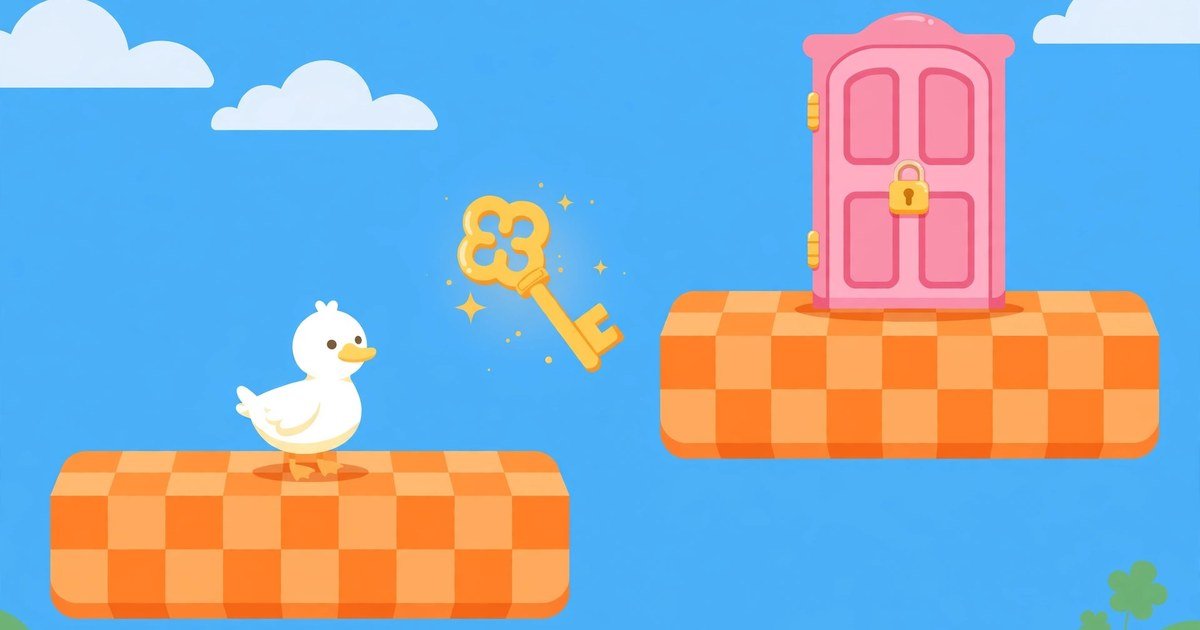
Duck Duck 2 is a small pixel platform game with one clear goal. Walk a white duck across orange platforms, grab a golden key, and open a pink locked door. That is the whole game.
You play it directly in your browser on CrazyCubix. You do not need to download anything. You press Play Now on the game page. The game loads in the frame. The title screen appears.
This guide comes from real play on 27 November 2026. About 11 minutes were played with the mouse, in two runs. No level was completed. No win was seen. The door was not reached and not opened. Every number in this guide is a number the game itself showed, and every gap is a gap the game itself left open.
Duck Duck 2 is different from games that hand you a win. In most games you learn the trick and finish the level. In Duck Duck 2 the trick itself was the problem. The jump button did nothing when clicked with the mouse. The duck walked, fell, got stuck in mid-air, and reset. The door stayed shut through all of it.
The Title Screen and Its One Line
Press Play Now and the title screen shows DUCK DUCK2 in pixel letters. Below it the line reads PRESS ANY KEY TO START. A small MORE button sits at the bottom right.
The MORE button was not opened in this check. On both attempts to click it, the game had already left the title screen and was in gameplay. Nothing is claimed about where it leads.
No tutorial appeared. No help text appeared. No instructions screen appeared anywhere in the game. The title screen is the whole starting point. A mouse click in the centre of the title screen starts gameplay. The screen says press any key, but a click works too.
How the Duck Walks
Three on-screen buttons sit at the bottom of the game frame. A left arrow at the bottom left, a right arrow at the bottom centre, and an up arrow at the bottom right. Holding the left or right arrow moves the duck. That is the one control that worked every time.
The duck walks at a steady pace. Hold right for about 1.2 seconds and the duck crosses from the floating platform to the top platform near the key. Hold left for about 1.5 seconds and the duck walks across the top platform and falls off its left edge. Hold right for about 1.5 seconds on the bottom floor and the duck walks right across the floor and stops against the big orange block at the bottom right.
The up arrow is the problem. It was tested many times in this check. A single click, a 500 millisecond hold, a 2,000 millisecond hold, and a mouse-down hold of about 4.4 seconds in a timed test. No jump was visible in the screenshots after any of those actions. The duck stayed on the same platform or the same floor. No jump height was verified with the mouse.
That does not mean the game has no jump. An earlier check used keyboard arrows and measured a standing jump of about 95 to 100 pixels and a running jump of about 115 pixels. Those numbers are from keyboard play. With the mouse, the up button produced no visible jump in this check. If you play with the mouse, do not count on jumping.
Two Runs, One Level
Run 1 lasted about two minutes. After starting, the duck held right for about 1.2 seconds and ended up on the top platform near the golden key. Holding right about 0.6 seconds more made the key disappear. The duck was at the top-right corner of the top platform. The door below it still showed the down-arrow bubble. Then the duck held left for about 1.5 seconds, walked left across the top platform, and fell off its left edge. It hung in mid-air for at least 5 seconds and would not move. The page was reloaded to restart.
Run 2 lasted about seven minutes and was the main run. After Play Now and a centre click, the duck was standing on the small upper-left floating platform, facing right, with the key still at the top right. Holding right for about 0.4 seconds walked the duck off the floating platform and down to the middle platform, landing on its right side, to the right of the grey spike triangle. Holding right for about 1.0 second from there, against the vertical orange column at the right end of the middle platform, did nothing. The duck did not move, did not climb, and did not jump up the column.
Then the up arrow was tested again and again. A single click, a 500 millisecond hold, a 2,000 millisecond hold, and a mouse-down hold of about 4.4 seconds. No jump was visible after any of them. Holding left for about 0.7 seconds from the middle platform, toward the spike, sent the duck back to the upper-left floating platform with the key restored. No fail panel appeared. No message appeared. The reset happened between screenshots.
The key was collected a second time from there. Holding right for about 1.2 seconds brought the duck back to the top platform near the key. Holding right about 0.5 seconds more made the key disappear again. Holding left about 0.7 seconds, then about 0.4 seconds more, walked the duck left off the top platform and down to the middle platform, to the right of the spike. This time it did not stick in mid-air. A drag from the left arrow to the up arrow put the duck on the bottom floor at the left, with the key back at the top right. From there the duck held right for about 1.5 seconds, walked right across the floor, and stopped against the big orange block. It did not climb the block. The final minutes were spent walking left and right on the floor. A final up click from under the lower platform also produced no visible jump. The duck ended the run on the bottom floor at the left, facing right, with the key still present and the door still unopened.
The Key That Disappeared Twice
A golden key floats near the top right of the level. Touch it and it disappears. That is the only thing the key was seen to do.
The key was collected twice in this check, both times the same way. Hold right from the floating platform for about 1.2 seconds and the duck ends up on the top platform near the key. Hold right about 0.5 seconds more and the key disappears. No score appeared. No text appeared. No sound was heard. The duck was left standing at the top-right corner of the top platform, and the door below it still showed the down-arrow bubble.
After each collection the key came back. A spike reset brought it back to the top right both times. The key was never carried to the door. Whether the key opens the door was not tested, because the door was never reached.
The key is the clearest thing in the level. It sits in the open. It disappears when touched. Everything after that is a guess. The game never says what the key is for.
Spikes and the Silent Reset
Grey spike triangles sit on the middle platform and on a lower platform. They are the main hazard in the level. Touch one and the level resets at once.
There is no fail panel. There is no death animation. There is no message. The duck is simply back at the start, and the golden key is back at the top right. The reset happened between screenshots in this check, so the exact moment was not seen. The result was plain: the duck was back where it started, and the key was back where it started.
The reset destination was not the same every time. In the first check the duck returned to the spawn at the bottom left. In this check the duck was next seen back on the upper-left floating platform after a spike. After a different kind of reset, a drag from the left arrow to the up arrow, the duck was next seen on the bottom floor at the left. The start position was not fixed in what was seen.
A spike costs nothing but time. There are no hearts to lose. There is no score to drop. The only cost is the walk back to where you were.
The Duck That Hung in Mid-Air
Once in this check the duck got stuck. It fell off the left edge of the top platform and stayed in mid-air, just left of the vertical orange column below the top platform, at about the height of the upper-left floating platform. It stayed there for at least 5 seconds with no input.
Everything was tried. Holding left did nothing. Holding right did nothing. Clicking the up arrow did nothing. Clicking the top-left icon did nothing. Clicking the game canvas did nothing. The duck did not move.
The page was reloaded to restart. That is the only fix that was found. If your duck hangs in mid-air, reload the page. Nothing inside the game moved it.
This is worth knowing before you play. The level has a spot where the duck can hang. It happened once in about 11 minutes of play. It happened after a fall from the top platform, not after a jump. A careful walk on the top platform avoids it.
The Big Orange Block and the Door Above It
A big orange block sits at the bottom right of the level. The duck can walk to it across the bottom floor. It cannot get onto it with the mouse.
That was tested several ways. Dragging from the right arrow to the up arrow while the mouse was held down. Holding right briefly then clicking up. Holding up for 2 seconds. All of it at the big block. The duck stayed on the floor against the block and did not get onto it.
An earlier check reached that ledge with a running jump from the bottom floor, using keyboard arrows. With the mouse it was not reached in this check. The block is the line between the two ways of playing. Keyboard can climb it. Mouse could not.
The pink locked door sits on its own platform with a down arrow bubble above it. An earlier check measured the door platform at about 120 pixels above the big orange block, beyond the running jump that was measured. The middle and upper platforms sit 165 to 210 pixels apart in the gaps that were measured. Those gaps were also beyond the jump that was measured. The door was not reached in either check.
The Guide Was Corrected After This Play
The game page guide had several claims that this check did not match. The guide has been corrected to match both checks.
The jump numbers are now marked as keyboard measurements. A standing jump rises about 95 to 100 pixels and a running jump reaches about 115 pixels with keyboard arrows. With the mouse the up button produced no visible jump in this check.
The top-left icon is now described as it looks. It is a small square icon with a diagonal outward arrow. In the first check it was called a circular restart arrow. In this check clicking it twice changed nothing visible, so it is not a restart button you can rely on.
The spawn is now stated as it was seen. The duck spawned at the bottom left on the bottom floor in the first check, and on the upper-left floating platform in this check. The key was collected twice in this check, not once. The duck stuck in mid-air is now in the guide too.
What Was Not Tested
The door was not reached. The door was not opened. What the down arrow bubble at the door does was not tested at the door. Whether the key opens the door was not tested. No win panel and no level complete panel was seen.
The MORE button on the start screen was not opened. Levels beyond the first were not reached. Other characters and tools and boosters and shop items were not reached or opened.
Keyboard play was not tested in this check. Only the mouse was used. The jump numbers in this guide come from the earlier keyboard check. Touch play was not tested. Sound was not heard during the check. No settings menu was found. No pause button was seen.
The site Fullscreen button below the game frame was not tested in this check. The game area stayed the same size throughout.
Duck Duck 2 Next to a Game With a Clear Order
Duck Duck 2 is different from Arrow Escape. In Arrow Escape you click arrows in the right order and each one slides off the board. Every click has a clear result. A free arrow leaves. A blocked arrow costs a heart. In Duck Duck 2 the result of a click is less certain. The up button did nothing with the mouse, and the duck can hang in mid-air.
Duck Duck 2 is also different from Parking Jam 3D. In Parking Jam 3D you tap cars and race a par time. A wrong tap costs 2 seconds and the clock keeps running. In Duck Duck 2 there is no clock. There is no score. There is no timer. The only cost of a mistake is the walk back.
That contrast is the point of the game. Some games reward fast hands. Duck Duck 2 rewards a slow walk and a careful eye. If you like a clear order and a ticking clock, play the others. If you like a quiet platform and a puzzle with no answer yet, this duck is yours.
Quick Answers
How do you start the level?
Press Space on the start screen, or click in the centre of the title screen. The duck spawned at the bottom left on the bottom floor in the first check, and on the upper-left floating platform in the later check.
How do you move the duck?
Hold the left or right on-screen arrow buttons at the bottom of the game frame. The duck walks while the button is held. Keyboard arrows were used in the earlier check.
How high can the duck jump?
With keyboard arrows in the earlier check, a standing jump rose about 95 to 100 pixels and a running jump reached about 115 pixels. In the later mouse-only check the on-screen up button produced no visible jump, so no jump height was verified with the mouse.
What happens when you touch a spike?
The level resets at once. There is no fail panel and no message. The duck returns to the start and the golden key returns to the top right.
What does the golden key do?
The key is collected by touching it and then it disappears. Whether the key opens the door was not tested, because the door was never reached.
Can you finish the level?
Not in either check. The door was not reached in the first check or in the later check on 27 November 2026. No win panel and no level complete panel was seen.
Play Duck Duck 2 on CrazyCubix
Duck Duck 2 is a short game with an unfinished test. One duck. One key. One door that stayed shut. Two key collections, two spike resets, one duck stuck in mid-air, and no jump with the mouse. The level was not completed, and the door was not opened.
Play the game on Duck Duck 2. Browse more games from the All Games page. Read more about this site on the About Us page.