Blasting Balls Guide: Drag the Cannon and Shoot the Ball
By Somia Alex
A Ball With a Number Inside It
Open the Blasting Balls page and press Play Now. The title screen reads Blasting Balls and Shoot, Split, Survive. The top bar reads 1 and 0 and 0 with small icons. It shows three hearts and a bomb icon. There is a pause button. The How to Play panel gives four rules. Drag left and right to move the cannon. The cannon auto shoots. Reduce HP to zero. A ball that touches the cannon costs a heart. There are 3 lives. Survive all levels. There is a button that reads PLAY NOW. That is the whole title screen. This blog tells you what actually happened, shot by shot.
The quick answer is this. Drag the cannon left and right with the mouse. It fires a stream of small bullets straight up on its own. Hit the big bouncing ball until its health number reaches zero. Level 1 was never finished in the check that was done. The best score was 36. The ball never split in two, and Level 2 was never reached.
Drag Left Drag Right and the Cannon Fires on Its Own
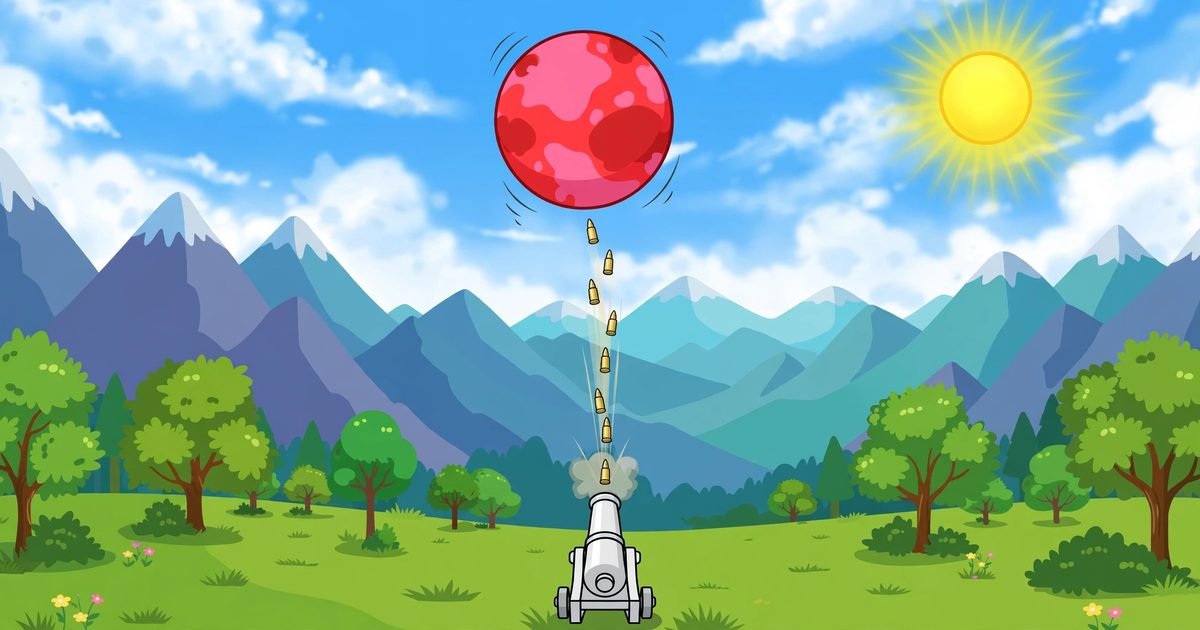
The cannon sits at the bottom centre on green grass. The scene is a cartoon landscape with mountains and trees and a sun. The cannon fires a stream of small bullets straight up. There is no fire button. The cannon fires on its own. Your only job is to move it.
Mouse drag was the control that worked. Hold the left mouse button and move left and right. The cannon follows. It moves across the bottom of the screen. The bullets go straight up from wherever the cannon is. So you chase the ball with the cannon. The ball bounces left and right. You drag the cannon under it.
ArrowLeft was pressed four times in one attempt. The cannon stayed at the centre. It did not move. ArrowRight was not tested. Space was not tested. Other keys were not tested. Touch was not tried. So this guide tells you to use the mouse drag. The arrow keys were not proved here.
The Score That Climbs and the Coins That Appear
The score rises with hits. Game Over scores seen in the check that was done were 12 and 14 and 15 and 21 and 22. The best score was 36. That is the highest number seen. It is the best run of the check.
Coins started at 0 on a fresh PLAY NOW. They reached 4 in two runs. How a coin is collected was not seen. No coin was watched being picked up. No text said what a coin does. So this blog does not tell you how to get coins. It only says they reached 4 in two runs and started at 0.
Combo labels appeared too. They read 3 times and 4 times and 5 times and 6 times and 10 times and 11 times and 16 times COMBO. What makes the combo rise was not verified. What makes it reset was not verified. So this blog does not explain the combo. It only says the labels appeared.
The Health Number Changes Every Time You Start
Level 1 has one large bouncing ball. It is red to pale pink. It has a white HP number inside it. Hits reduce the number. That much was seen. But the first HP number was not the same in every attempt. It was seen as 23 and 25 and 26 and 27 and 30 across attempts. So no fixed starting HP can be proved. This blog does not give you one number. It gives you the five numbers that were seen.
That matters because you cannot plan the run around a fixed number. One run starts with a ball of 23. The next starts with a ball of 30. The longer run needs more hits. The shorter run needs fewer. You find out the number when you start. You do not know it before.
The best score of 36 is higher than a ball HP of 30 seen in one run. That is a strange detail. If the ball had 30 health, 30 hits would finish it. A score of 36 is more than 30. But no Level Complete screen was seen. No win screen was seen. The ball was never seen reaching zero in a verified view. So this blog does not claim the score is the hit count. It only reports both numbers as they were seen.
The Split That Was Never Seen
The title says Split. The How to Play says shoot, split, survive. But two smaller balls were never clearly seen in the check that was done. At least 7 attempts were played. The ball bounced. It was hit. Its number fell. It never clearly broke into two smaller balls in any attempt.
That does not mean the split does not exist. It means it was not seen. The ball may split when its health reaches zero. But health never reached zero in a verified view. So the split, if it happens, happens after the point the check reached. This blog does not describe a split it did not see.
Play for the ball in front of you. One large ball. One health number. One cannon. Do not wait for two smaller balls. Do not plan for them. If they appear in a later run, they will be a surprise. The guide here is for the one ball that was seen.
The Ball Falls on the Cannon and the Run Ends
The ball falls onto the cannon. The screen changes to a starburst. It reads Game Over. It shows YOUR SCORE and the number. It shows two buttons, Try Again and Menu. That is the end of a run.
The How to Play says a ball that touches the cannon costs a heart, and there are 3 lives. That matches the loss in general. But a single heart changing at the exact moment was not reliably captured. Some Game Over views still listed three hearts. So this blog does not report a per hit heart count. It only says the run ends after the ball falls onto the cannon repeatedly.
That is a strange gap. Three hearts should fall one at a time. The screen should show them falling. But the capture did not catch it cleanly. So the blog is honest about it. The run ends. The hearts are not counted here.
Pause Resume and the Score That Stays After Menu
Pause worked in the check that was done. It showed Paused and CURRENT SCORE. It showed Resume and Menu. Resume was tested. It took the game back into play. So you can pause between shots. The ball keeps bouncing when you return. But the pause itself is safe.
After Menu, the title screen kept the last run score and coins. One run left 12 and 4 on the title screen. Clicking PLAY NOW reset them to 0. So the title screen remembers the last run until you start a new one. A new run starts clean. The old score does not carry into it.
One attempt was interrupted by a wrong click. A click at the pause button position while the page was scrolled down opened the Shape Shifters game page instead. The worker returned at once to the Blasting Balls page. Reloading reset the game to its title screen. The paused state was lost. That is a small warning. Scroll the page to the top before you click pause. A click in the wrong place can take you away from the game.
The Bomb Icon With No Button
A bomb icon sits in the top bar. It was seen on the title screen. But no clickable bomb control was found. Its function was not tested. No button said bomb. No text said what it does. So this blog does not tell you to use a bomb. It only says the icon was there and no control was found for it.
There are no settings on the screen. There is no sound control. None was shown. Fullscreen was not used. No world or mode or level select was seen. Levels beyond 1 were never reached. Level 2 was never reached. No win screen was seen. This blog reports only Level 1 as it was played.
What I Would Do Differently on the Next Run
I would stay under the ball. The bullets go straight up. The ball bounces left and right. The hits only land when the cannon is under the ball. Drag early. The ball moves fast. If you wait until it is above you, it is already moving away.
I would not chase the combo. The labels appeared up to 16 times. But what raises them was not verified. Playing for a number you cannot control is a way to lose the run. Play for hits. The score follows the hits.
I would keep the cannon moving. A still cannon is an easy target. The ball falls where the cannon sits. A moving cannon is harder to land on. Small drags left and right keep you under the ball and away from its fall.
I would pause when I need to think. The pause button works. Resume works. A short pause costs nothing. A rushed drag costs the run. Use the pause. It is there for a reason.
Questions From Under the Bouncing Ball
How do you move the cannon in Blasting Balls?
Drag with the mouse. Hold the left mouse button and move left and right. The cannon follows and fires a stream of small bullets straight up on its own. ArrowLeft was pressed four times and did not move the cannon. Touch was not tried.
How much health does the Level 1 ball have?
No fixed number was proved. The first HP number was seen as 23, 25, 26, 27 and 30 across attempts. Hits reduce the number. The ball was never seen reaching zero in a verified view, and Level 1 was never finished.
Does the ball split into smaller balls?
Two smaller balls were never clearly seen in the check that was done, across at least 7 attempts. The title says Split, and the best score of 36 was higher than a ball HP of 30 seen in one run, but no split was verified. This blog does not describe one.
What happens when the ball falls on the cannon?
The run ends. The screen shows a starburst, Game Over, YOUR SCORE and the number, with Try Again and Menu buttons. A per hit heart count was not reliably captured, so this blog does not report one.
What was the best score in the check that was done?
The best score was 36. Other Game Over scores seen were 12, 14, 15, 21 and 22. Coins reached 4 in two runs, but how a coin is collected was not seen.
The Last Word on Blasting Balls
Blasting Balls is a game about staying under a bouncing ball. The cannon fires on its own. The drag moves it left and right. The health number falls with hits. The number changes every run. The split was never seen. The ball falls on the cannon and the run ends. The best score in the check was 36. Level 1 was never finished. That is the game as it was played here.
If you like a cannon game with a counter to clear, try Cannon Balls. There you hold and drag to aim and reduce a counter to zero, and a spinning barrier ends the run. Or try Starlight Trace. There you drag from star to star and link every edge to win a level.
You can browse more games from the All Games page. You can read more about this site on the About Us page.